
TL;DR
- LLM web scraping uses large language models to turn raw web pages into structured data, without writing a single CSS selector or XPath expression.
- Most modern websites are JavaScript-rendered, so you need a real browser upstream before the LLM sees anything worth extracting.
- The best LLM for web scraping depends on your accuracy requirements and volume; GPT-4o, Claude Sonnet, and Mistral each have a role to play.
- Production LLM scraping pipelines need more than a model and a Python library: browser infrastructure, session management, and error handling are what keep them running.
Introduction
LLM web scraping has changed how developers extract data from the web. Where traditional scrapers depend on hard-coded CSS selectors and XPath queries that break the moment a site redesigns, LLM-powered scrapers understand what you're asking for and find it regardless of the underlying HTML structure.
That shift, from pattern matching to semantic understanding, is why more engineering teams are web scraping with the help of LLMs.
The process is simple: You describe the data you want in plain language, define the shape of the output, and let the model handle the rest. There's less setup and less maintenance.
In this guide, you'll discover how LLM web scraping works mechanically, which models are worth considering, how to build a workflow that actually runs in production, and the infrastructure layer that most guides skip: getting the right HTML to the LLM in the first place.
What is LLM web scraping?
LLM web scraping is the practice of using large language models to extract structured data from web pages. Instead of instructing a parser to "find all elements with class product-price," you give a model the page content and describe what you want: "Extract each product's name, price, and availability."
The model reads the HTML semantically, the way a person would, and returns the data in a structured format you define.
That definition is typically a JSON schema: you specify the fields and their types, and the LLM populates them from whatever the page contains.
As a result, the scraper no longer depends on the specific structure of the HTML. If the site redesigns its layout, changes class names, or moves data between elements, the extraction logic stays intact. The model understands that a price is a price whether it lives in a <span class="price">, a <data> attribute, or a paragraph of text.
LLMs are most useful when it comes to two specific types of content:
- Pages that change frequently.
- Pages where the data isn't neatly labeled.
Product listings, job boards, news articles, and review aggregators are the obvious examples. Each one presents a slightly different structure. An LLM handles that variation naturally; a traditional scraper requires a separate rule set for each.
Bear in mind that an LLM can only extract what it can see. If the page is JavaScript-rendered and you feed the model raw HTML before the browser has run, you'll get empty or incomplete output. More on that shortly.
LLM scraping vs. traditional web scraping
Traditional scrapers are fast, cheap per request, and precise… when they work. The problem is how often they don't.
CSS selectors and XPath are brittle by design: they describe a specific location in a specific HTML structure, and any change to that structure breaks the extraction.
Sites get redesigned, frameworks get upgraded, class names get refactored, and you end up maintaining a growing library of selectors, each tied to a page it was built for.
LLM-powered scrapers trade per-request cost for resilience and lower maintenance overhead. A scraper that costs $0 to run but requires a day of engineering time every time a site updates is rarely the cheaper option.
| Traditional scraper | LLM-powered scraper | |
|---|---|---|
| Setup time | High | Low |
| Maintenance | Ongoing | Minimal |
| Handles layout changes | No | Yes |
| Unstructured content | Poor | Strong |
| Cost per request | Low | Higher |
| JavaScript-rendered sites | Needs headless browser | Needs a headless browser |
Even though the last row is identical in each column, it's important to know that both approaches require a real browser when the target site relies on JavaScript to render content.
According to W3Techs, as of mid-2026 React is used by 6.1% of all tracked websites, Vue.js by 0.7%, and Next.js by 2.7%, and while Next.js can server-render pages, many of these sites rely on client-side hydration that a plain HTTP request won't catch.
Those percentages are higher still among the sites developers most commonly want to scrape: e-commerce platforms, job boards, and SaaS products.
Switching to LLM scraping doesn't remove the need for browser infrastructure; it just changes what you do with the HTML once you have it.
LLM scraping also has genuine limitations:
- Accuracy can degrade on very noisy pages with lots of boilerplate.
- Very long pages drive up token costs.
- There is a small risk of the model misreading ambiguous content, though for extraction tasks, where the model is reading existing data rather than generating new information, hallucination rates are low in practice.
LLM scraping is a better default for most use cases, not a universal replacement for every scraping pattern.
High-volume pipelines scraping the same structured site thousands of times a day may still be better served by conventional selectors. Everything else (varied sites, unstructured content, frequently changing layouts) is where LLM-powered scraping pulls ahead.
How LLM web scraping works
The LLM web scraping pipeline has four steps, but the first is the most complex.
Step 1: Fetch and render the page
For static sites, an HTTP request is enough. For JavaScript-rendered sites, which is the majority of the modern web, you need a headless browser to load the page, execute the scripts, and return the fully rendered HTML.
Most lightweight tutorials break down here. They show import requests; response = requests.get(url) and pipe the result straight to the LLM. If the target is a React or Next.js application, that raw HTML contains almost no content. The model is left reasoning over empty containers.
The fix is to use a headless browser for the fetch step. Here's a minimal Python example using the Browserless REST API to get fully rendered page content:
import requests
import os
BROWSERLESS_API_KEY = os.environ.get("BROWSERLESS_API_KEY")
response = requests.post(
    f"https://production-sfo.browserless.io/content?token={BROWSERLESS_API_KEY}",
    json={
        "url": "https://example.com/products",
        "waitForSelector": {"selector": ".product-list"}
    },
    timeout=30
)
response.raise_for_status()
html_content = response.text
The waitForSelector parameter ensures the browser waits for your target elements to appear before returning the HTML. Without it, you may get a partially rendered page.
Step 2: Pre-process the HTML
Raw HTML contains navigation, footers, cookie banners, ad code, and analytics scripts.
None of that is useful for extraction, and all of it adds to the token count. Strip it before sending to the LLM. Even a simple approach (removing <nav>, <footer>, <script>, and <style> tags) can reduce input size substantially.
Some tools and libraries handle this automatically. If you're building your own pipeline, this step is worth implementing.
Step 3: Define a JSON schema and prompt the LLM
Define the structure you want, then pass it to the model alongside the cleaned HTML. Using JSON mode or tool calling keeps the output constrained and reduces the chance of malformed responses:
import openai
import json
import os
client = openai.OpenAI(api_key=os.environ.get("OPENAI_API_KEY"))
schema = {
    "type": "object",
    "properties": {
        "products": {
            "type": "array",
            "items": {
                "type": "object",
                "properties": {
                    "name": {"type": "string"},
                    "price": {"type": "number"},
                    "rating": {"type": "number"},
                    "in_stock": {"type": "boolean"}
                },
                "required": ["name", "price"]
            }
        }
    }
}
response = client.chat.completions.create(
    model="gpt-4o",
    messages=[
        {
            "role": "system",
            "content": "Extract product data from the provided HTML. Return only JSON matching the provided schema."
        },
        {
            "role": "user",
            "content": f"Schema: {json.dumps(schema)}\n\nHTML:\n{html_content[:8000]}"
        }
    ],
    response_format={"type": "json_object"}
)
data = json.loads(response.choices[0].message.content)
Step 4: Validate and store
Schema-constrained output still needs to be validated. Check that required fields are present and that data types match before writing to your store.
A validation step also gives you a clean signal for retry logic: if the LLM output fails validation, re-run the extraction rather than silently writing bad data.
Why JavaScript rendering matters for LLM scraping
The accuracy of any LLM scraper depends directly on the quality of the HTML it receives.
If you fetch a modern React application with a plain HTTP request, the response body looks roughly like this:
<div id="root"></div>
The browser hasn't run yet, and nothing has rendered. An LLM passed this HTML will either return empty results or, worse, hallucinate content it expects to find. The quality of LLM output scales with the quality of the input.
The fix is to use a headless browser for every page that requires JavaScript to render its content, which means most modern websites: e-commerce platforms, job boards, news sites built on modern frameworks, and SaaS dashboards.
Running your own headless browser infrastructure is straightforward at small scale and genuinely difficult at large scale.
Running your own headless browsers works at small scale but becomes a serious infrastructure challenge as you add concurrency: memory management, session isolation, crash recovery, and bot detection all need dedicated attention.
Browserless is built for this. You replace the local browser with a WebSocket connection:
from playwright.sync_api import sync_playwright
import os
BROWSERLESS_API_KEY = os.environ.get("BROWSERLESS_API_KEY")
with sync_playwright() as p:
    browser = p.chromium.connect_over_cdp(
        f"wss://production-sfo.browserless.io?token={BROWSERLESS_API_KEY}"
    )
    page = browser.new_page()
    page.goto("https://example.com/products")
    page.wait_for_selector(".product-list")
    html_content = page.content()
    browser.close()
Browserless handles Chrome version management, session isolation, memory cleanup, and crash recovery. It also applies stealth settings and handles CAPTCHAs when configured (add solveCaptchas=true to your connection URL), useful considering bot detection is one of the first walls a web scraper hits in production.
For simpler extraction tasks, the Smart Scrape API uses a cascading strategy: it starts with a plain HTTP fetch, escalates to a proxied request if the site blocks datacenter IPs, then launches a full stealth browser if JavaScript rendering is required, and only triggers CAPTCHA solving if a challenge is detected.
You only pay for the level of infrastructure the page actually requires.
The best LLM for web scraping
There isn't a single best LLM for web scraping: the right choice depends on the complexity of your target pages, your volume, and how you're balancing accuracy against cost.
GPT-4o (OpenAI)
GPT-4o is the most capable option for complex, unstructured pages. It handles long context well, follows JSON schema constraints reliably, and reasons through ambiguous content.
The trade-off is cost. At scale, GPT-4o per-request costs add up quickly, which is why it's most appropriate for high-value extraction tasks where data quality is non-negotiable.
Claude
Claude Sonnet has a large context window and performs well on long or dense pages.
Claude Haiku is significantly cheaper and still accurate on well-structured content, making it a reasonable choice for high-volume pipelines where you need to manage per-request costs.
Mistral
Mistral models are cost-effective for structured extraction tasks. On pages with relatively clean, consistent content, Mistral can match the accuracy of larger models at a fraction of the cost.
Worth benchmarking against your specific targets before committing to a more expensive option.
A local model
Local models via Ollama give you full control and no per-request cost. The trade-off is latency and infrastructure overhead.
They're viable for internal data pipelines, privacy-sensitive contexts, or when you're scraping a well-defined set of pages where you can tune the model. For general-purpose LLM web scraping across varied sites, hosted models perform more consistently.
Bear in mind the following.
- Context window size is more important than raw benchmark scores for web scraping: a long product page or a news article with extensive boilerplate can quickly fill a small window.
- JSON mode or tool calling support is essential: free-form LLM output is much harder to validate and parse reliably.
- Model selection matters less than you might think once you have clean, fully rendered HTML as input: a cheaper model with a good browser layer often outperforms an expensive model fed raw, incomplete HTML.
How to use LLMs to automate web scraping workflows
Automating an LLM web scraping workflow means connecting the browser layer, the LLM layer, and your data destination into a pipeline that runs reliably without manual intervention.
Here's how to set that up using Browserless and OpenAI.
- Set up your environment variables.
Store your API keys outside your code:
export BROWSERLESS_API_KEY="your-browserless-token"
export OPENAI_API_KEY="your-openai-key"
- Install the required Python packages.
pip install requests openai
- Build the pipeline.
import requests
import openai
import json
import os
BROWSERLESS_TOKEN = os.environ.get("BROWSERLESS_API_KEY")
OPENAI_KEY = os.environ.get("OPENAI_API_KEY")
def fetch_rendered_html(url: str) -> str:
    response = requests.post(
    f"https://production-sfo.browserless.io/content?token={BROWSERLESS_TOKEN}",
    json={"url": url, "gotoOptions": {"waitUntil": "networkidle0"}},
    timeout=30
)
    response.raise_for_status()
    return response.text
def extract_data(html: str, schema: dict, prompt: str) -> dict:
    client = openai.OpenAI(api_key=OPENAI_KEY)
    response = client.chat.completions.create(
        model="gpt-4o",
        messages=[
            {
                "role": "system",
                "content": f"Extract data matching this schema: {json.dumps(schema)}"
            },
            {
                "role": "user",
                "content": f"{prompt}\n\nHTML:\n{html[:8000]}"
            }
        ],
        response_format={"type": "json_object"}
    )
    return json.loads(response.choices[0].message.content)
# Run the pipeline
url = "https://example.com/products"
schema = {
    "products": [
        {"name": "string", "price": "number", "in_stock": "boolean"}
    ]
}
html = fetch_rendered_html(url)
result = extract_data(html, schema, "Extract all products from this page.")
# Validate before storing: keep only products with the required fields
products = [
    p for p in result.get("products", [])
    if isinstance(p.get("name"), str) and isinstance(p.get("price"), (int, float))
]
print(json.dumps(products, indent=2))
The [:8000] slice is a safety cap. Cleaned HTML from a content-heavy page can easily exceed 100,000 characters. Feeding the full page into the model inflates costs and, for larger pages, may exceed the context window. For long pages, consider extracting only the relevant DOM subtree before passing to the LLM, or use a model with a larger context window like GPT-4o or Claude.
If you prefer TypeScript, the same pipeline takes a similar shape using the Browserless REST API and the OpenAI SDK:
import OpenAI from "openai";
const BROWSERLESS_TOKEN = process.env.BROWSERLESS_API_KEY;
async function scrape(url: string) {
  const pageResponse = await fetch(
    `https://production-sfo.browserless.io/content?token=${BROWSERLESS_TOKEN}`,
    {
      method: "POST",
      headers: { "Content-Type": "application/json" },
      body: JSON.stringify({ url, gotoOptions: { waitUntil: "networkidle0" } }),
    },
  );
  if (!pageResponse.ok) {
    throw new Error(`Browserless request failed: ${pageResponse.status}`);
  }
  const data = await pageResponse.text();
  const client = new OpenAI();
  const completion = await client.chat.completions.create({
    model: "gpt-4o",
    messages: [
      {
        role: "system",
        content: "Extract products as JSON with name, price, in_stock fields.",
      },
      { role: "user", content: data.slice(0, 8000) },
    ],
    response_format: { type: "json_object" },
  });
  const result = JSON.parse(completion.choices[0].message.content!);
  return result;
}
If you're building an AI agent pipeline rather than a standalone scraper, Browserless also exposes an MCP server.
Connect any MCP-compatible client (Claude Desktop, Cursor, LangChain, or your own agent) to https://mcp.browserless.io/mcp and the agent gets access to browser tools it can call directly: smart scraping, crawling, screenshots, search, and a browser agent for multi-step interactions like form filling.
The agent chooses the right tool for each task; you don't have to wire up each step manually.
{
  "mcpServers": {
    "browserless": {
      "type": "http",
      "url": "https://mcp.browserless.io/mcp",
      "headers": {
        "Authorization": "Bearer your-token-here"
      }
    }
  }
}
The best LLM tools for scalable web scraping pipelines (whether you're using the REST API or MCP) benefit from a managed browser backend rather than a self-hosted one. Infrastructure complexity grows faster than the scraping logic does.
Data cleaning and normalization
One of the least obvious advantages of an LLM-powered scraper is that they clean and normalize scraped web data automatically.
Traditional scrapers extract exactly what the HTML contains: inconsistent date formats, prices with different currency symbols, product names with varying capitalization, duplicate listings with slightly different titles.
Cleaning that raw output requires a separate post-processing pipeline, and it's brittle in exactly the same way the scraper itself is.
When the LLM extracts data, it normalizes as it goes. You define the schema with a date field typed as "string" in ISO 8601 format, and the model converts absolute dates like "June 29, 2026" and "29/06/26" into the same format. Relative values like "2 days ago" only resolve correctly if you pass the page's fetch time as a reference in the prompt. A price field typed as "number" strips currency symbols, so keep the currency in a separate field rather than discarding it, and use a decimal type where exact values matter. Product names get trimmed and consistently capitalized because the model understands that's what a clean name field should look like.
The LLM also naturally suppresses noise. When you ask for product data, it ignores cookie banners, promotional copy, and footer boilerplate. You don't have to write rules to exclude them.
There are limits. On very long or very noisy pages, data quality can drop. Ambiguous content (a price that might be a monthly or annual rate, a date that might be a published date or an updated date) requires clear schema documentation or an explicit prompt to resolve correctly. Structuring your JSON schema carefully and writing precise field descriptions pays dividends in output quality.
For retrieval augmented generation pipelines, this normalization step is particularly valuable. Clean, structured data produces better vector store embeddings and more reliable context for the LLM answering questions downstream.
LLM scraping at scale: production considerations
Running LLM web scraping on a single page is straightforward. Running it across hundreds of pages concurrently, reliably, while controlling costs, is a different challenge.
Rate limiting and API keys
Both the browser infrastructure provider and the LLM provider impose rate limits.
A production pipeline needs a queue with configurable concurrency and retry logic that backs off when it hits a 429.
Your environment variables should include separate API keys for each service; committing keys to source code is how you end up rotating credentials on a Friday afternoon.
Error handling
Pages fail to render. The LLM returns output that fails schema validation. The target site adds a new CAPTCHA flow.
Each failure mode needs an explicit handler: retry with exponential backoff, log the failure with enough context to debug it, and flag records that exhausted retries for manual review rather than silently dropping them.
Concurrency and browser infrastructure
Every concurrent scraping task needs its own browser session.
A local Chrome setup runs out of memory fast: each headless Chrome instance can consume hundreds of megabytes of RAM, and JavaScript-heavy pages push that higher.
At 50 concurrent sessions on a standard server, you're already managing a fleet.
Browserless handles session isolation, auto-scaling, and crash recovery. It's well-tested across the conditions that break self-hosted setups: sites with aggressive bot detection, pages that hang, and sessions that leak memory.
Cost modeling
LLM token costs are the obvious variable, but don't neglect browser infrastructure costs.
Model the two together: a cheaper LLM with a solid browser layer is often more cost-effective than an expensive model receiving low-quality raw HTML and producing extraction failures you have to re-run.
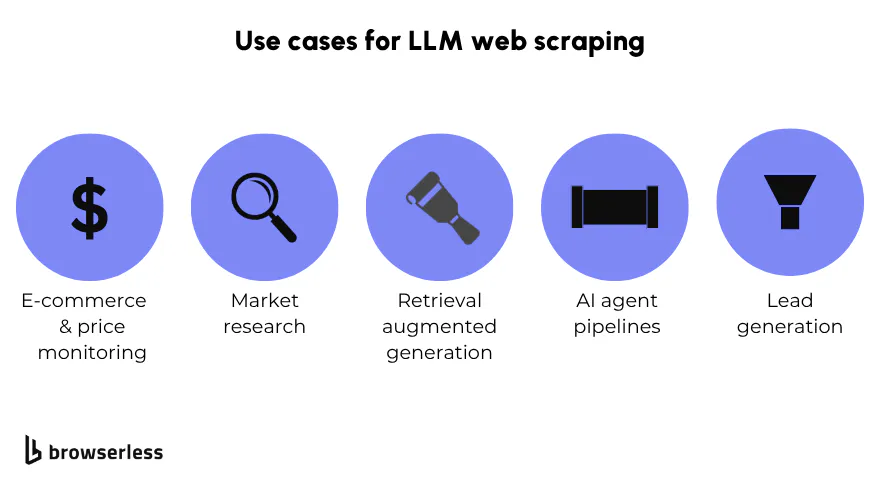
Use cases for LLM web scraping
- E-commerce and price monitoring. Tracking competitor pricing across dozens of sites with different HTML structures is exactly the problem LLM scraping was built for. You write one extraction prompt; the model adapts to each site's layout. When a site redesigns, you don't rebuild a scraper; the extraction continues working.
- Market research. Aggregating product reviews, forum posts, and news coverage across sources for sentiment analysis or trend identification is difficult with traditional scrapers as the content is unstructured. The LLM extracts and normalizes in a single step, returning structured JSON that downstream analysis can consume directly.
- Retrieval augmented generation (RAG). LLM web scraping is the natural data ingestion layer for RAG pipelines. Instead of parsing raw HTML into a vector store and hoping the chunks are coherent, you extract clean, structured content that embeds and retrieves reliably. Real-time data from the live web becomes a first-class input to your AI system.
- AI agent pipelines. Agents that research, compare, and synthesize web data need browser infrastructure that stays up and handles bot detection. Connecting an agent to Browserless via MCP gives it a persistent, stealth-enabled browser session, so the agent can log in, paginate through results, and extract data across a multi-step workflow without resetting state between calls.
- Lead generation. Extracting contact and company data from directories and public profiles, then normalizing it to a consistent schema, is a common use case. The LLM handles the variation in how different sources structure their data; you get a clean output regardless.
Conclusion
LLM web scraping replaces brittle CSS selectors with semantic understanding, making scrapers faster to build and significantly cheaper to maintain.
You stop describing where data lives in the HTML and start describing what data you want. The result is scrapers that are faster to build, significantly cheaper to maintain, and genuinely resilient to the site changes that make traditional approaches brittle.
However, you still need a real browser for any page that uses JavaScript rendering, and you still need production-grade infrastructure when you're running this at scale.
A well-chosen LLM extracting from low-quality raw HTML will underperform a cheaper model extracting from a fully rendered page. The browser layer isn't optional; it's where data quality starts.
Browserless provides that layer: a managed, stealth-enabled browser infrastructure that ensures your LLM scraper receives complete, accurate page content, from a single developer testing a pipeline to thousands of concurrent sessions in production.
You can sign up free and get 1,000 units a month with no credit card required.
LLM web scraping FAQs
Can LLMs replace traditional web scrapers entirely?
In most use cases, LLM-powered scrapers are a better default. They handle layout changes without maintenance and work well on unstructured content.
High-volume pipelines scraping the same structured site repeatedly may still benefit from conventional selectors for cost reasons.
The clear answer is using a hybrid approach: LLM scraping where resilience and adaptability matter and traditional selectors for high-volume structured extraction where layout is stable.
Do LLM scrapers hallucinate data?
Hallucination is rare for extraction tasks: the model is reading data that exists, not generating it.
The real risk is misclassification on ambiguous fields: a price listed without a currency symbol, or a date that could be a publish or update time. Writing precise field descriptions in your JSON schema is the most effective mitigation.
How do I handle dynamic content and login-protected pages?
Dynamic content requires a headless browser to render the page before extraction. For login-protected pages, Browserless's authenticated profiles let you log in once and reuse the session state across multiple scraping requests, without passing credentials into every run.
Is LLM web scraping expensive at scale?
Per-request costs are higher than a traditional scraper, but total cost of ownership is often lower once you account for setup time and ongoing maintenance. The cost model improves further with cheaper models like Mistral or Claude for structured content, and with a tiered browser layer that only spins up a full headless browser when the page actually needs it.